


The all-in-one app for child care centers

Running a daycare is hard. Your software shouldn't be.

Cubby puts daily care, family messages, staff schedules and tuition billing in one app your teachers can use on day one, at one honest price.

Have an invite from your center? Get the app

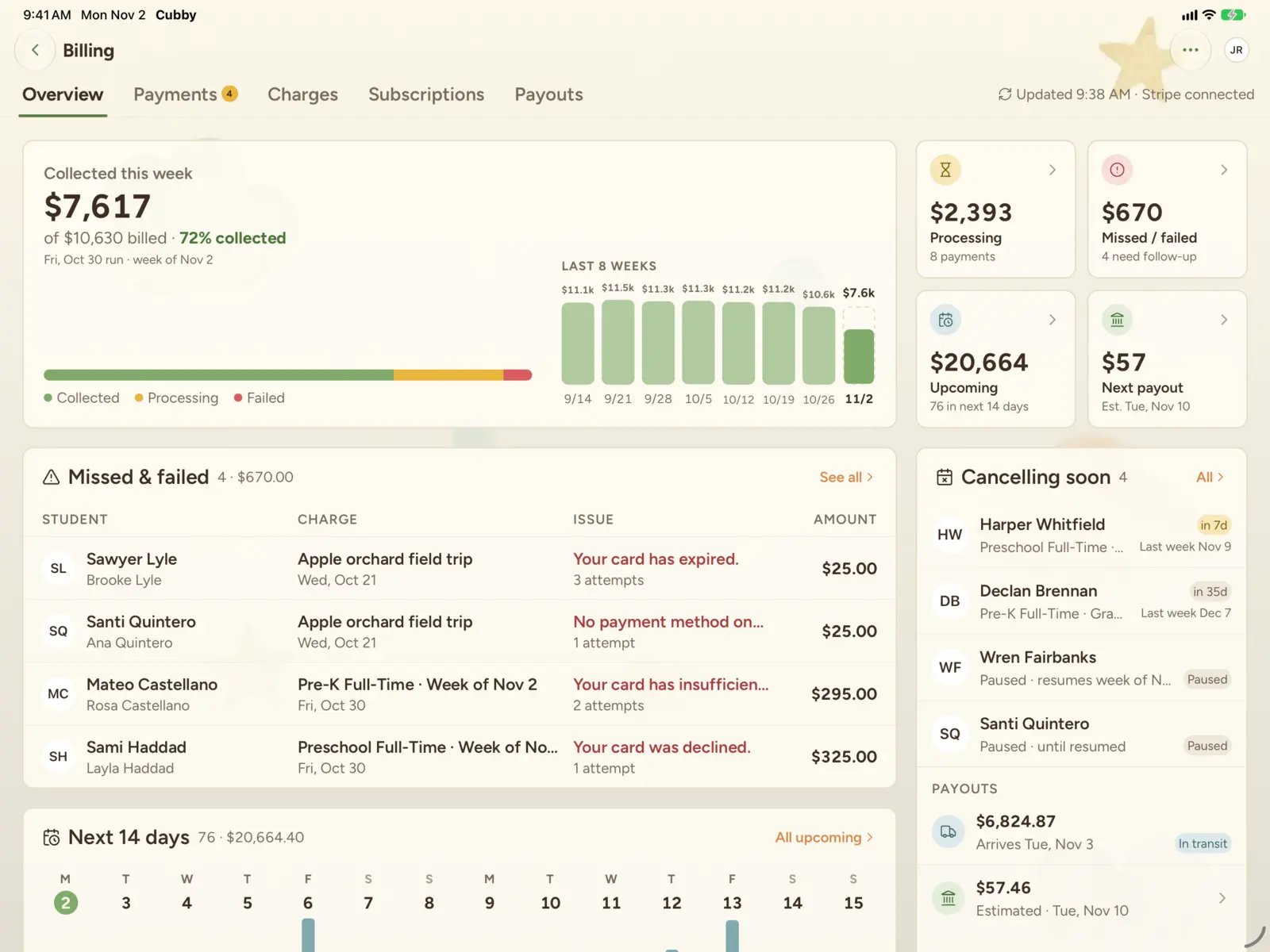
Cubby billing overview on iPad: tuition collected this week, missed and failed payments, and the charges coming up in the next 14 days
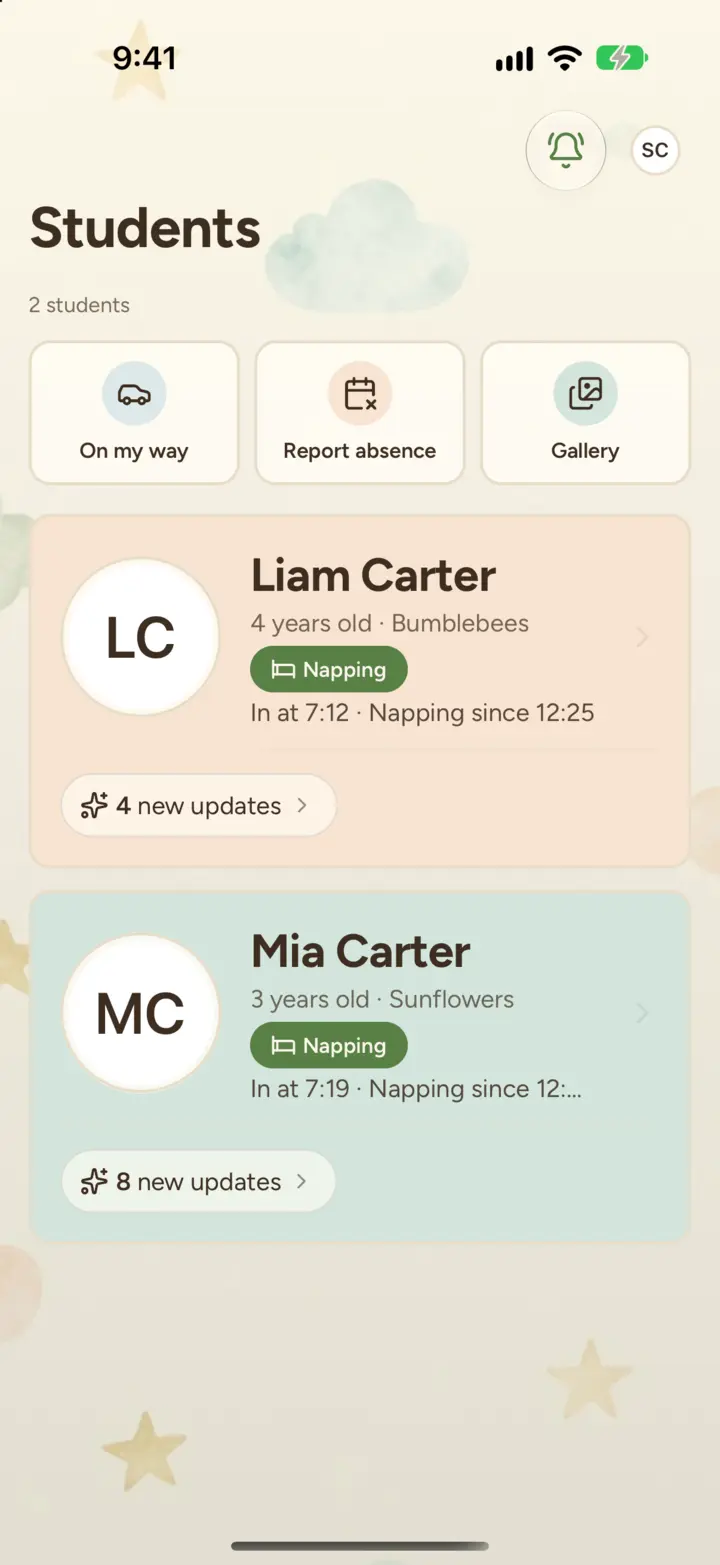
Cubby on iPhone: a family's home screen with shortcuts for On my way, Report absence and Gallery, and a card for each child
Built in our own centers.Run every day at three centers in South Dakota.
450 children, 75 staff.Using Cubby every day at our centers.
Every feature included.No fees per child, seat or add-on.

One platform

One app for your whole center

Stop juggling a messaging app, a billing portal, a scheduling spreadsheet and a clipboard. Cubby does all four.

Daily care

Log meals, naps, diapers, bottles and photos in a couple of taps. Families get each update as it happens.

Daily care

Families

A chat for every child, classroom posts and bulletin boards, and an evening recap of each child's day.

Families

Staff

Build the week's schedule, approve time off, and check in at the front-desk kiosk.

Staff

Billing

Weekly tuition autopay through your own Stripe account, with a dashboard that shows who's paid.

Billing

Made for everyone at your center

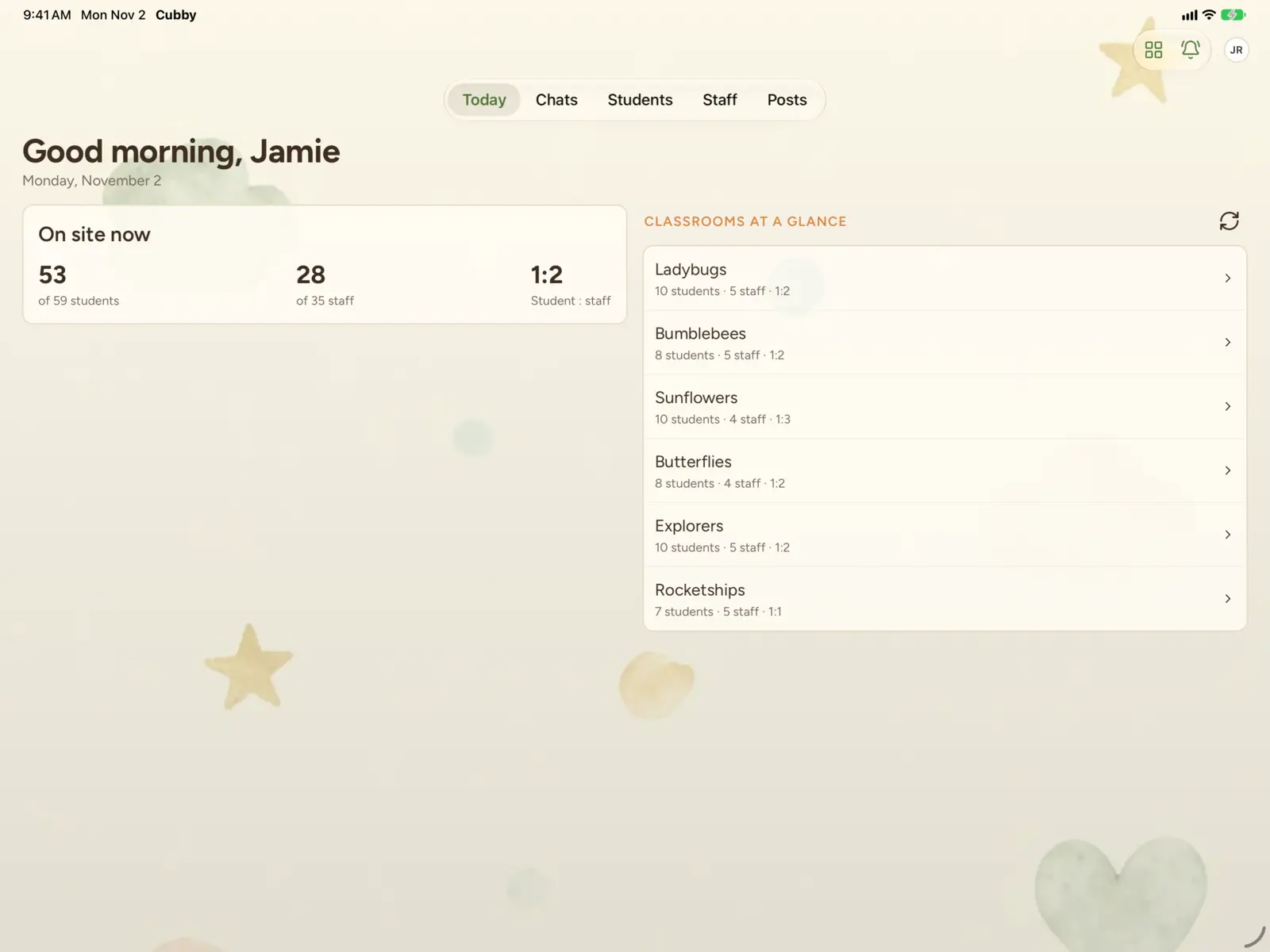
Cubby on iPad: a director's Today screen with who's on site now and each classroom at a glance

Directors and owners

See your whole center on one screen: who's here, who's paid and who's working this week.

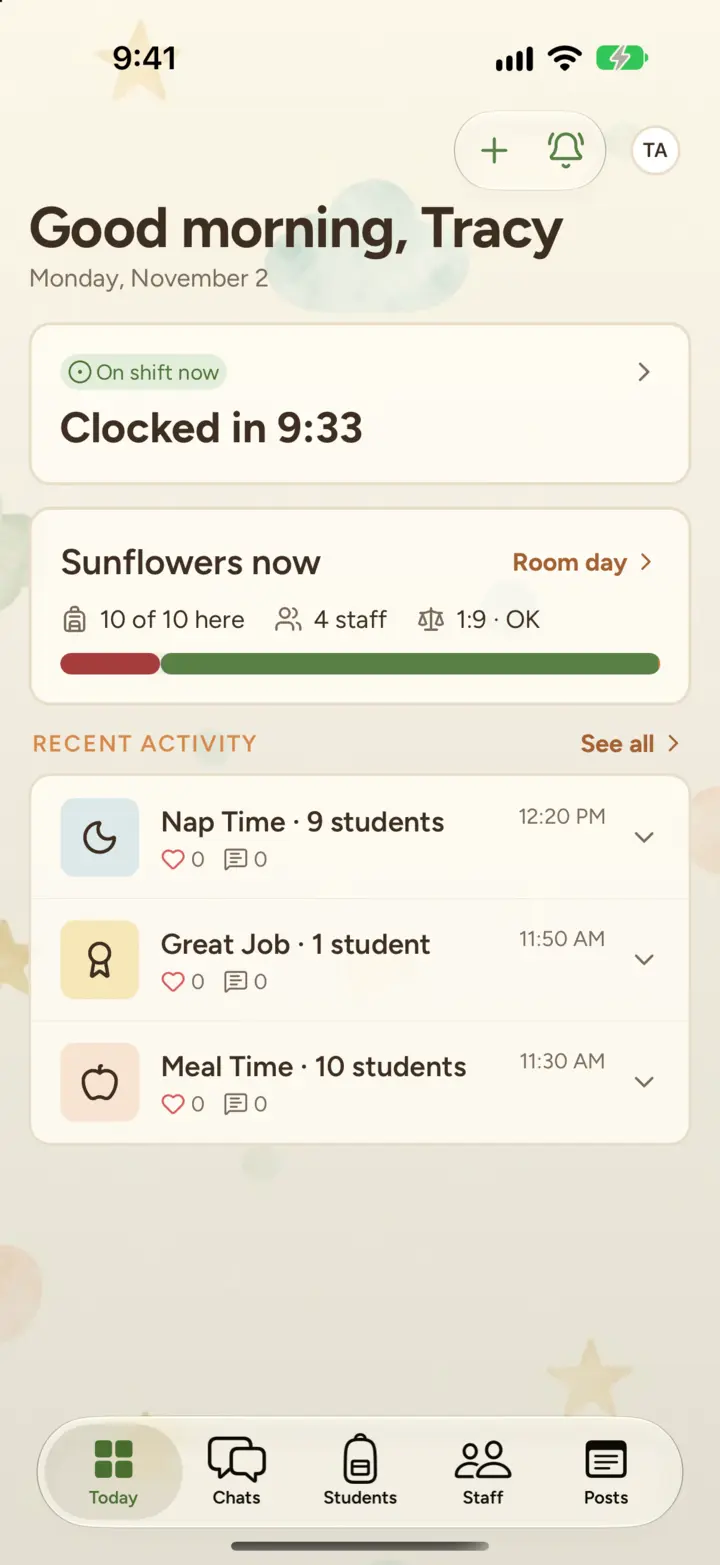
Cubby on iPhone: a teacher's Today tab with their shift, their classroom right now and recent activity

Teachers

Log an activity in seconds, message a family, and get back to the kids.

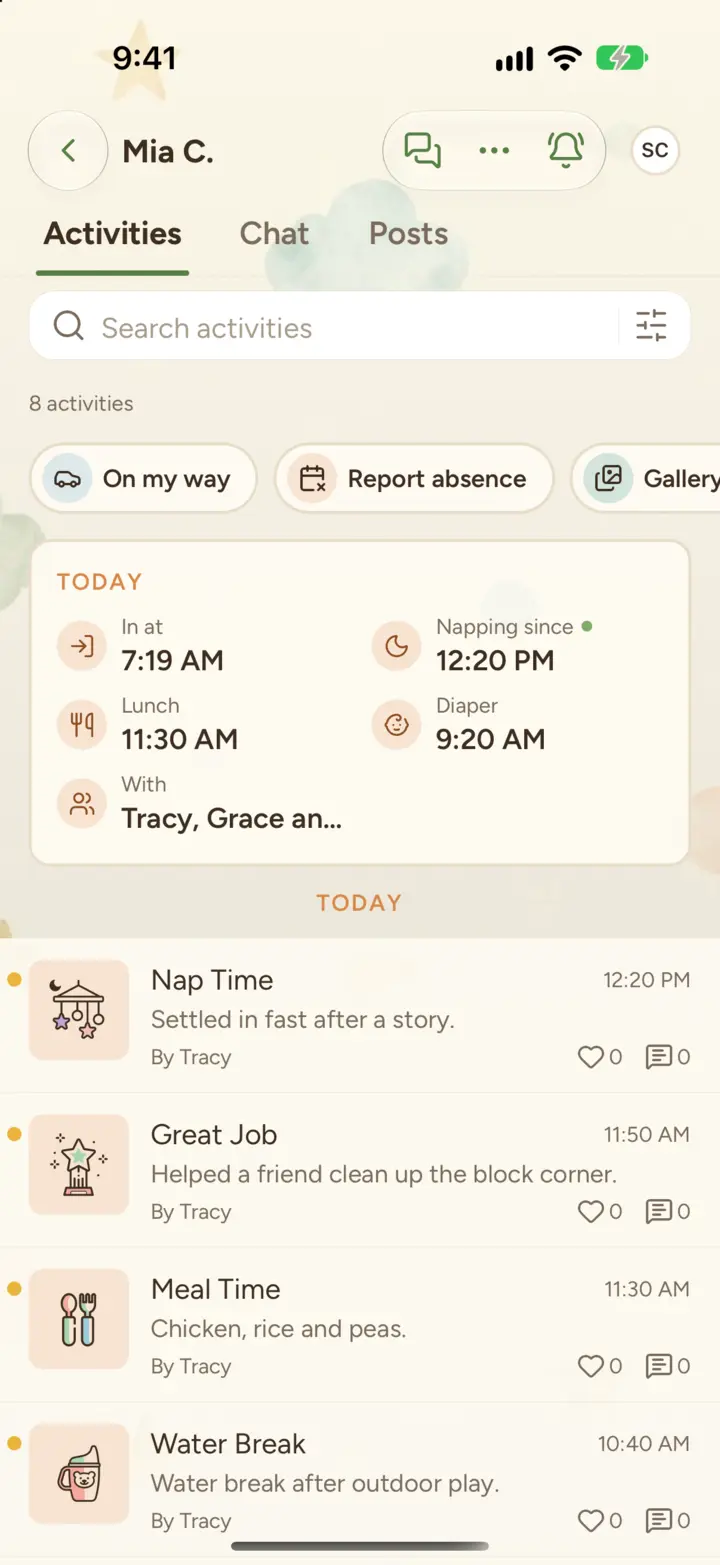
Cubby on iPhone: a child's Today card and the day's activities, as a family sees them

Families

Photos, naps, meals and messages for their child, in an app that opens instantly, even offline.

Directors and owners

See your whole center on one screen: who's here, who's paid and who's working this week.

Cubby on iPad: a director's Today screen with who's on site now and each classroom at a glance

Daily care, logged in seconds

Every moment, captured and shared

Teachers log meals, naps, diaper changes, bottles, potty trips, incidents and medication with a couple of taps, or snap a photo. Each update reaches the family the moment it's logged, so there's no end-of-day paperwork and no stack of clipboards.

  • More than 30 activity types, from naps to field trips
  • Log one activity for a whole room at once
  • A Today card and an evening recap for every child
Cubby on iPhone: a child's Today card above a feed of naps, meals and other activities logged by a teacher

Stay connected

Families stop wondering how the day went

Every child has a group chat with their family and current classroom staff, plus a private chat with directors. Families get a gallery of every photo of their child, and notifications that name the child first and say what happened in plain words.

  • Report an absence or say "On my way" from the app
  • Save and share photos from a gallery grouped by month
  • Quiet hours hold routine updates overnight, and messages and check-outs still come through
C
Holly · Checked outnow
Checked out at 5:10 by Tracy A.

Scheduling and check-in

Plan the week. Track every arrival.

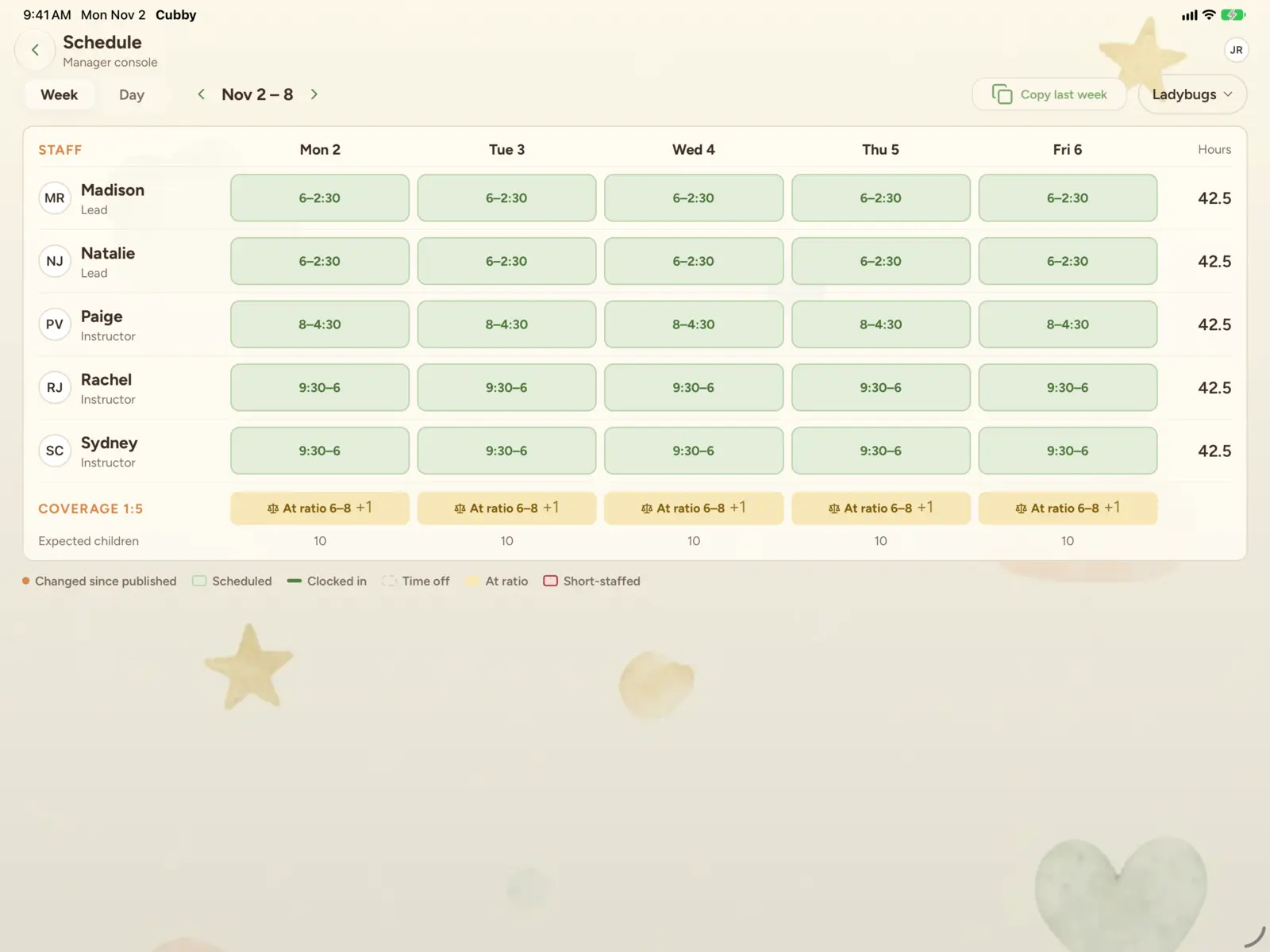
Build a week of classroom coverage in minutes, approve time off, and let a tablet at the front desk check staff and families in and out with a PIN. When it's time to pay your team, the hours are already in a payroll report.

  • Schedule builder with live hours and staffing totals
  • Time-off requests and approvals in the app
  • Kiosk check-in with a live count of who's on site
Cubby schedule builder on iPad: a week of classroom shifts with each person's hours and daily coverage
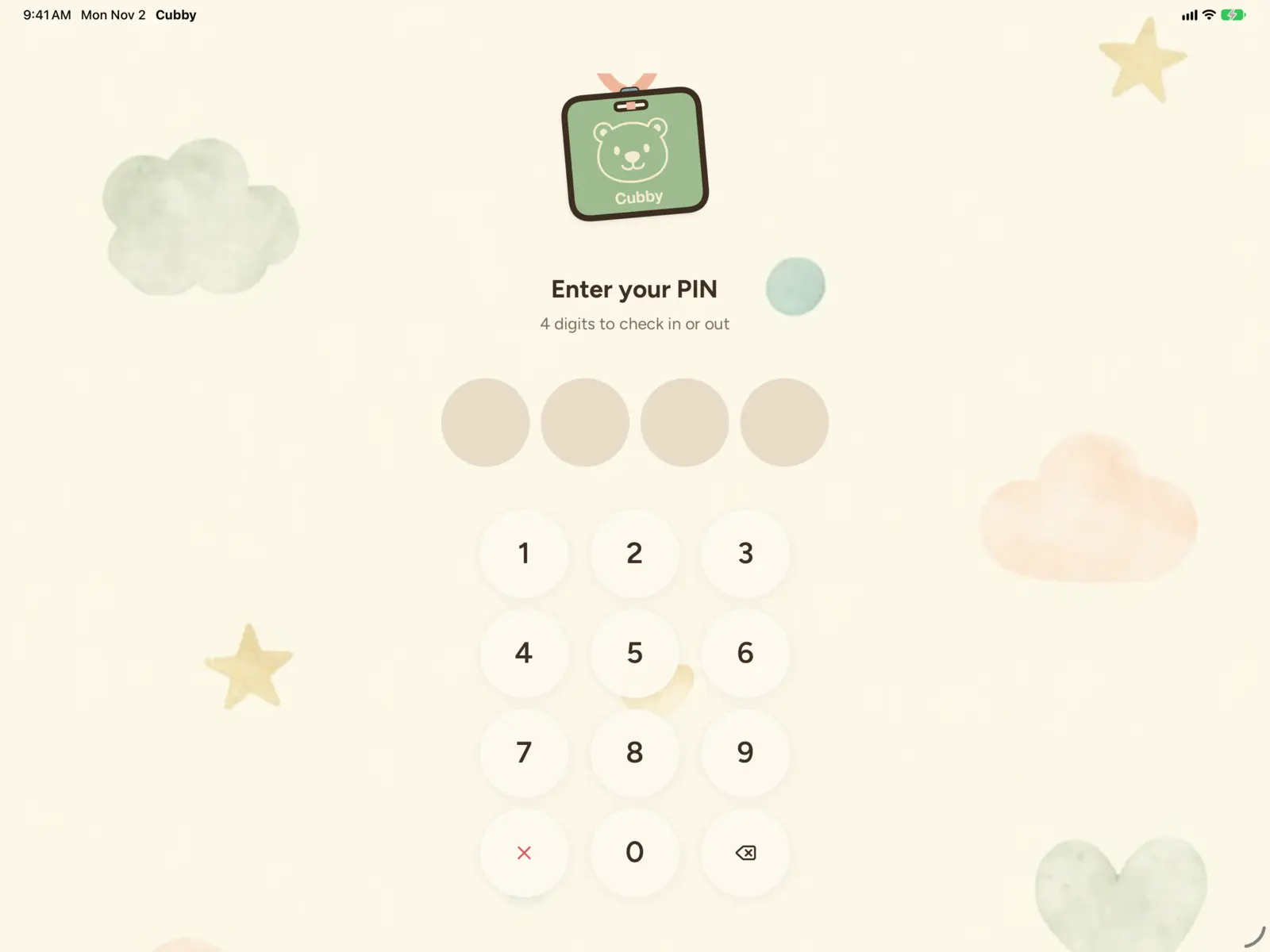
Cubby kiosk on iPad: the PIN pad staff and families use to check in and out

Payments

Tuition that collects itself, every Friday

Families save a bank account or card from the Cubby app, and Cubby charges each family every Friday for the week ahead. The money goes straight to your own Stripe account. Your billing dashboard shows what's collected, what's missed and when your next payout lands.

  • Weekly autopay, with no checks to chase
  • One-off charges for registration, field trips and supplies
  • Bank payments marked, so you can encourage the cheaper option
How billing works
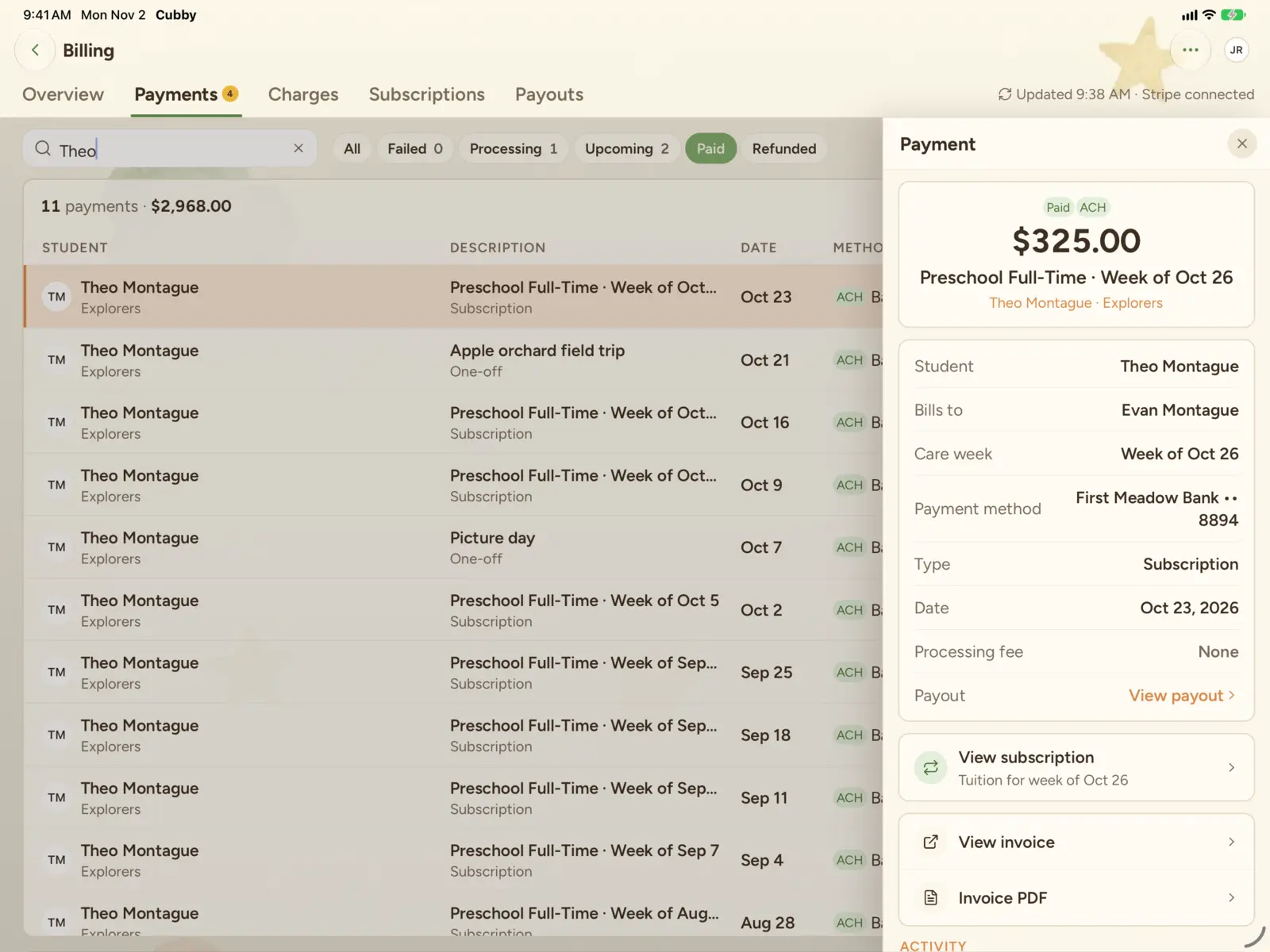
Cubby billing on iPad: one family's weekly tuition and one-off payments, with the details of one payment open

Pricing

One honest price

2.5% of the tuition you collect through Cubby, and $1 per one-off charge. Every feature, for every child and every staff member.

Your rate is locked in for 12 months. Payment processing is billed separately by Stripe at its standard rates.

Your first 30 days are free of Cubby fees.

See pricing and estimate your cost
2.5%of recurring tuition collected through Cubby
$1per one-off charge

The team

Built by an operator and an engineer

Cubby started inside Melissa Anderson's centers. Mel has spent more than 16 years in child care, from teaching two-year-olds to owning three centers. Her co-founder, Seth Uschuk, is a software engineer who built Cubby after enrolling his own children in daycare. Every feature is used in a real classroom before it reaches yours.

Meet the team
Melissa Anderson
Co-founder and CEO
Seth Uschuk
Co-founder and CTO

What directors, teachers and families say

Needs permissioned quote (director)

First name L.
Role, center

Needs permissioned quote (teacher)

First name L.
Role, center

Needs permissioned quote (parent)

First name L.
Role, center

Your families' information, handled with care

Security and privacy
Payments by Stripe.Cubby never sees or stores card numbers.
Encrypted.In transit and at rest.
Role-based access.Everyone sees only what their role allows.
Private by design.Names are swapped out before any AI help.

Let's give your center the software it deserves.

Book a 30-minute walkthrough with one of our founders. We'll show you Cubby with your classrooms in mind and answer every pricing question.