

Features

Everything you need to run your center

Daily care, family communication, staff and front desk, and billing, in one app for iPhone, iPad and Android. Every feature is included for every center, with no add-ons.

Daily care

Teachers log the day as it happens, and families see it right away.

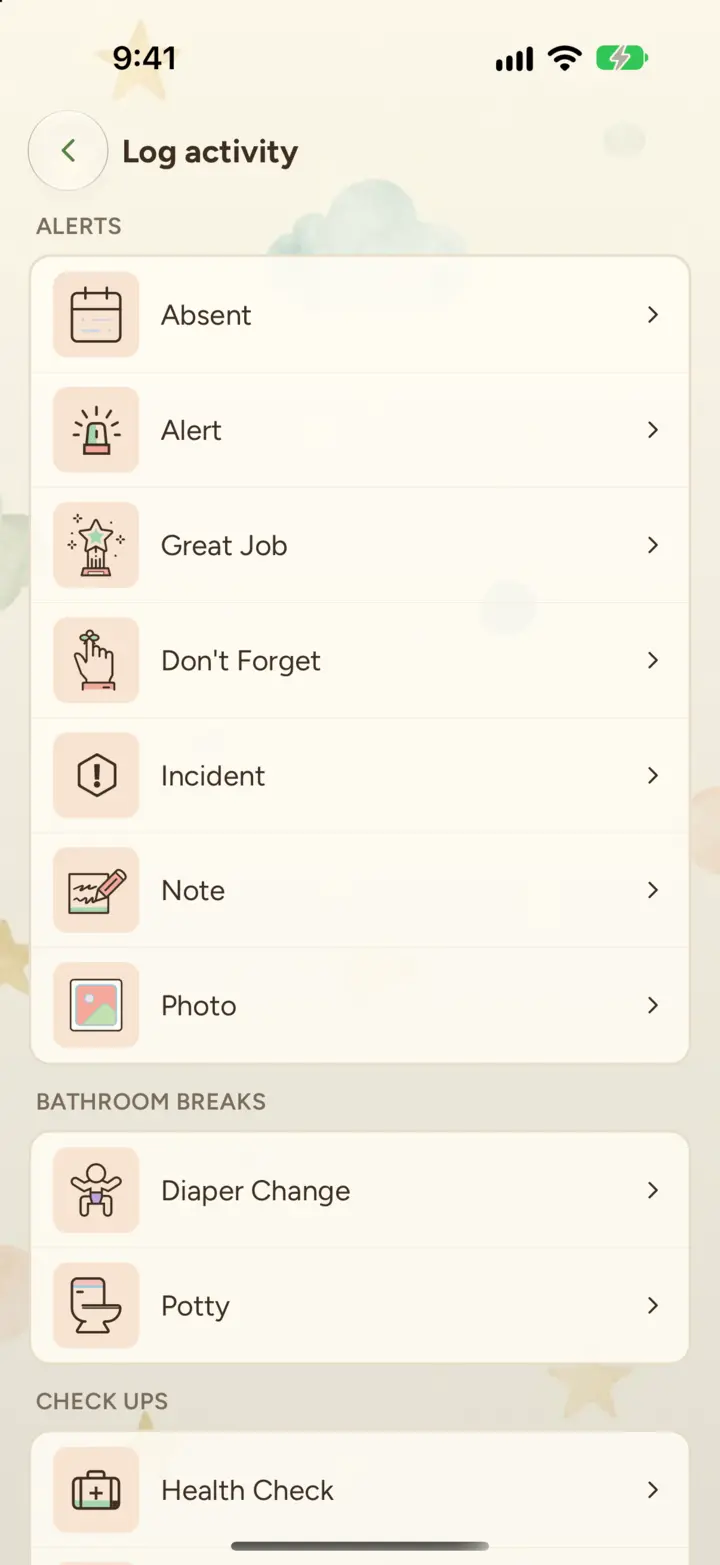
Cubby on iPhone: the Log activity screen, listing activity types such as Absent, Incident, Note, Photo, Diaper Change, Potty and Health Check

Activity logging.

Meals, snacks, bottles, naps, diapers, potty, health checks, art, music, circle time, STEM, field trips and more than 30 activity types in all.

Photos and video.

Attach photos or videos to any activity. Photos stay sharp, and families can like and comment.

Log for the whole room.

Record one activity for several children at once.

Incidents and medication.

Log an incident and it's added to the child's behavior history. Keep each child's medications with dosage and instructions, and log every dose given.

Today card.

Each child's day at a glance: photos, meals, naps and who's with them.

Evening recap.

One notification at closing time summing up the day, like "4 photos · 2 meals · napped 1h 45m". Centers choose whether to turn it on.

Allergies and medications.

On every child's profile, where the staff caring for them can see them.

Supplies.

Track each child's diapers, wipes, formula and spare clothes so families know what to bring.

Family communication

Everything families hear from you, in one place, without group texts or paper notes.

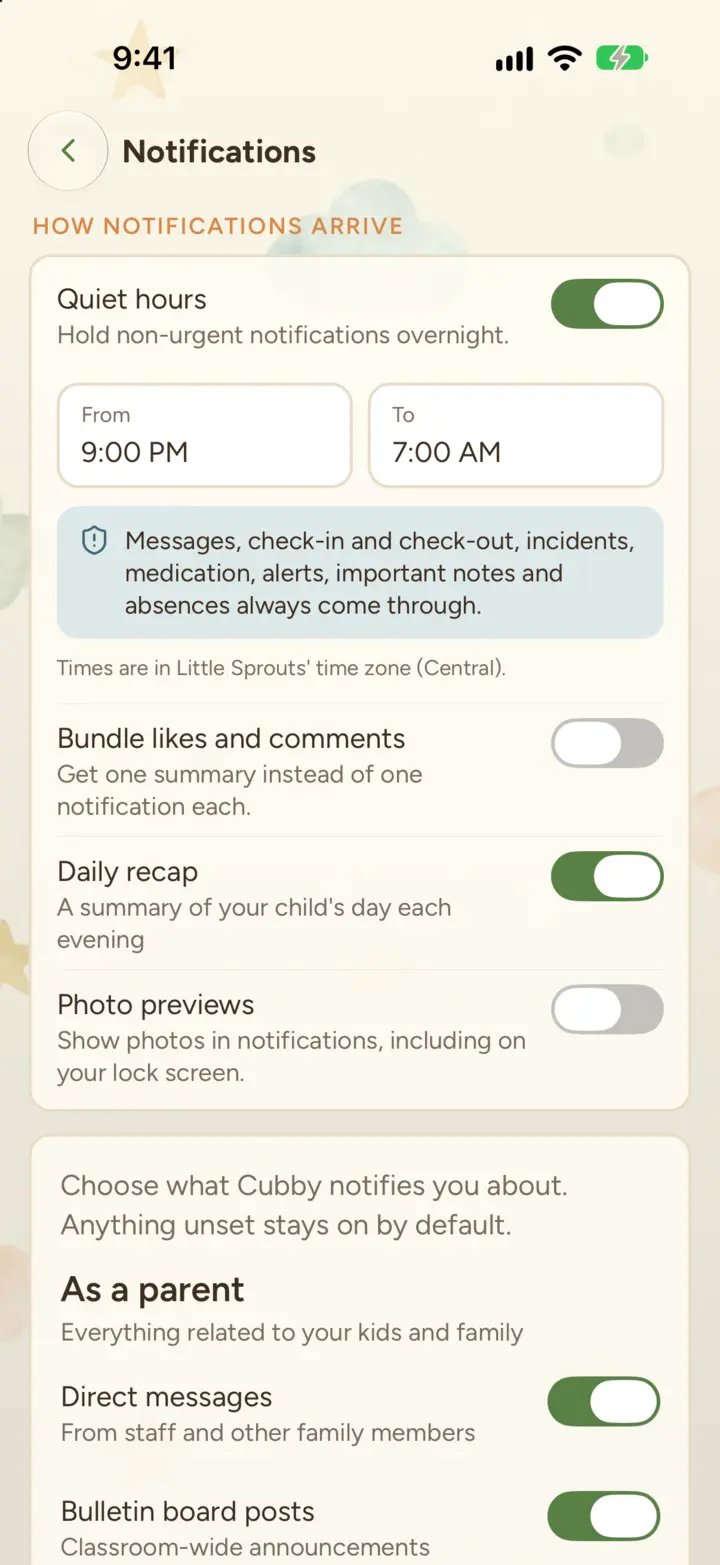
Cubby on iPhone: notification settings with quiet hours on from 9:00 PM to 7:00 AM, a note that important updates always come through, and switches for the daily recap and photo previews

A chat for every child.

Families and the child's current classroom staff share a group chat. When a child changes rooms, the chat follows.

Private chat with directors.

A separate admin chat for each child, for conversations that don't belong in the classroom thread.

Message families.

Send one message to every family in a classroom.

Posts and bulletin boards.

Pin announcements, menus and closures to a classroom or the whole center.

Notifications that read clearly.

Each one names the child first and says what happened. Families can reply to a message or like a post from the lock screen.

Quiet hours and photo previews.

Families choose how updates arrive. Messages, check-ins, incidents and medication always come through.

Absences and "On my way".

Families report an absence for a day or a date range, or tell you they're on the way, without calling the front desk.

Gallery.

Every photo of their child, grouped by month, ready to save or share.

One-tap invites.

Families tap the link in their invite, create a password and they're in.

Opens instantly, even offline.

Cubby opens straight to saved updates, even with no signal.

Staff and scheduling

Give your team one place for their schedule, their rooms and each other.

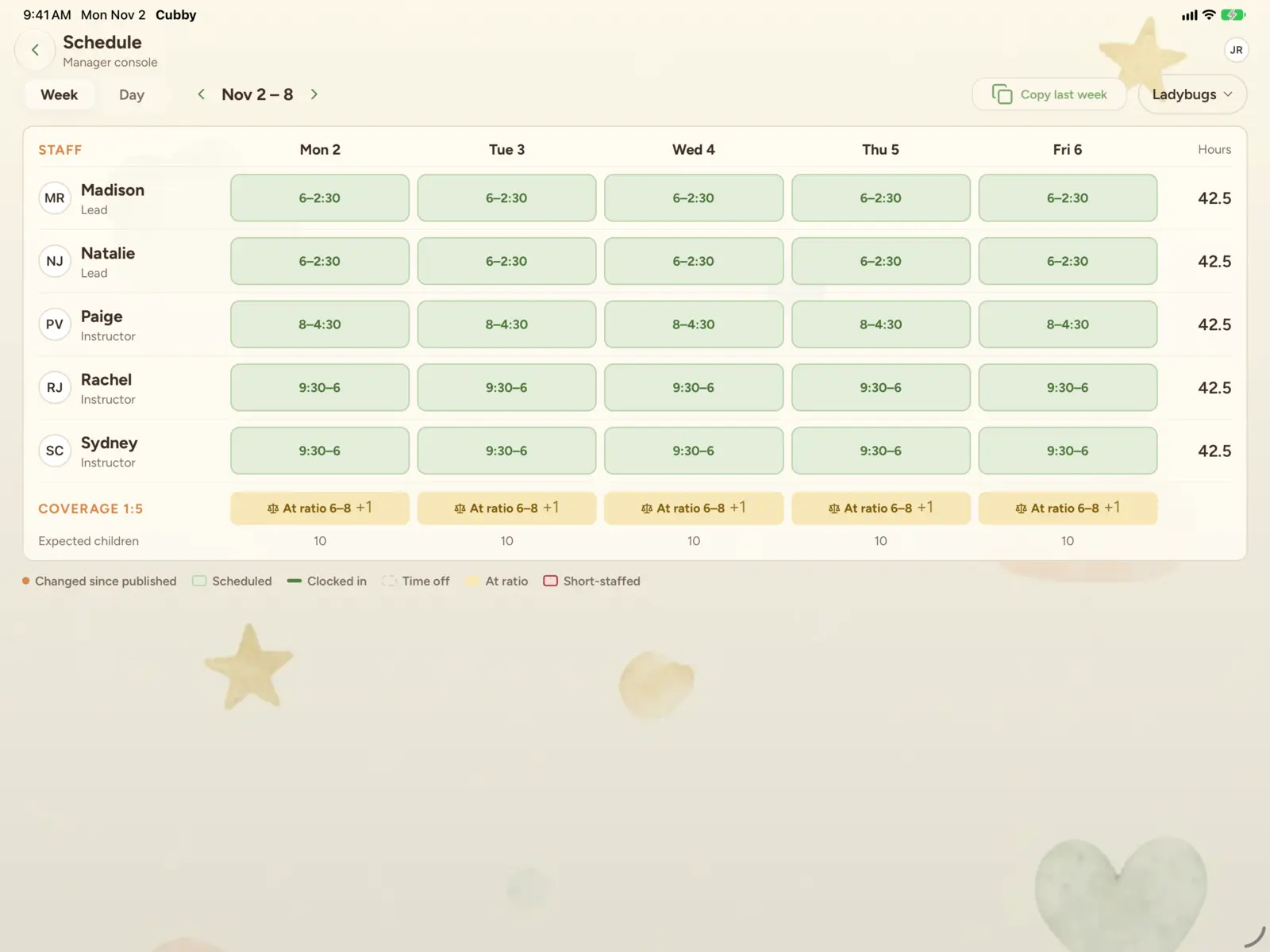
Cubby schedule builder on iPad: a week of classroom shifts with each person's hours and daily coverage

Schedule builder.

Assign every classroom for the week and watch live hours and staffing totals as you go.

My schedule.

Each staff member sees their own week in the app.

Time off.

Staff request time off in the app; directors approve or decline it.

Staff chat.

A group chat for each classroom's team that updates itself as staff move rooms. Directors can message anyone.

Staff feed.

Internal posts that only your team can see, like, and comment on.

Payroll hours report.

Hours for any date range, ready for your payroll provider.

Benefits and PTO.

Set up benefits like paid time off, with accrual rates, and enroll each staff member.

One-tap access control.

When someone leaves, remove their access in one tap.

Front desk and check-in

A tablet at the door does the sign-in sheet's job, and knows who's in the building.

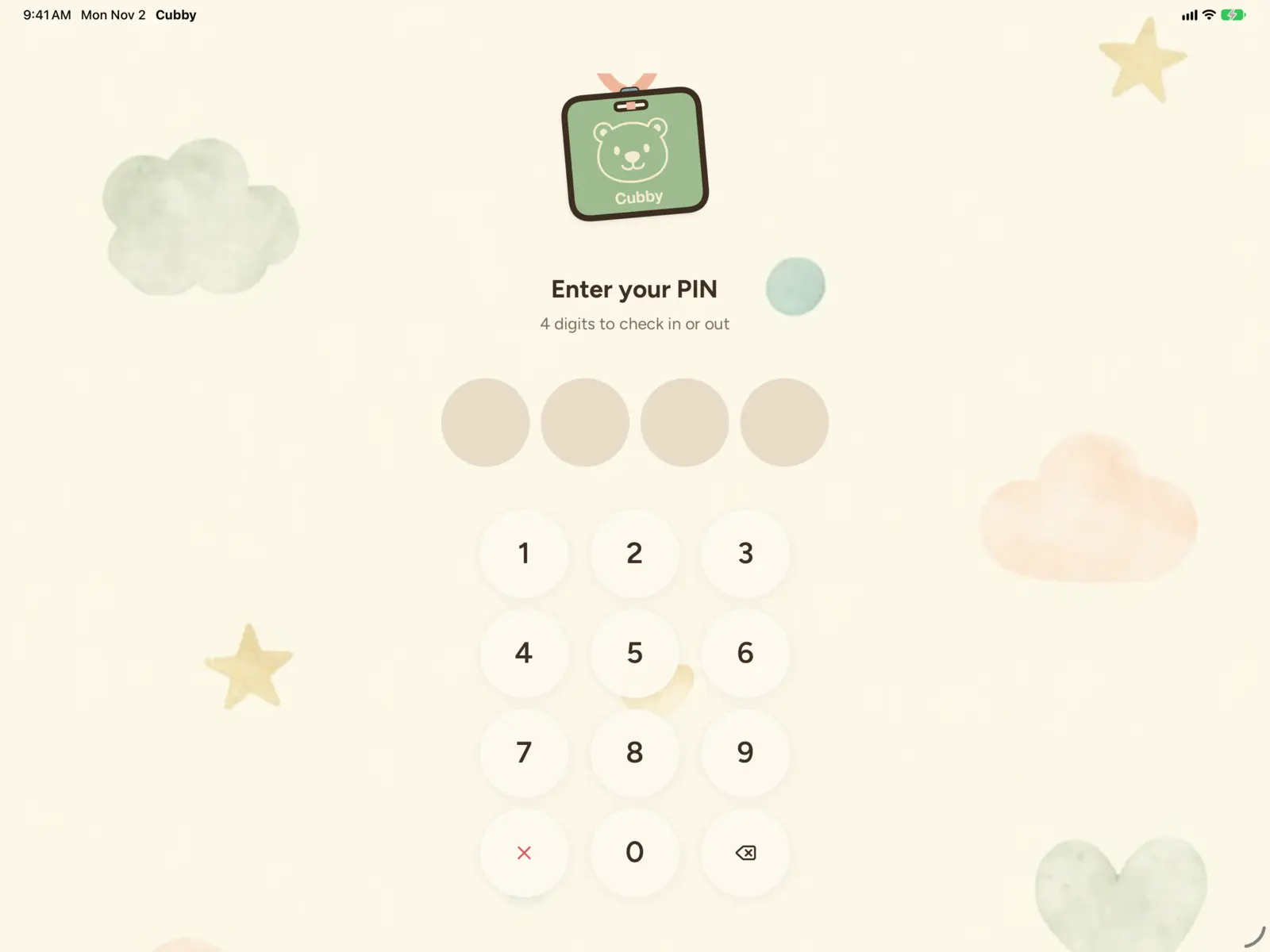
Cubby kiosk on iPad: the PIN pad staff and families use to check in and out

Kiosk mode.

Staff and families check in and out at a front-desk tablet with a 4-digit PIN.

Group check-in and out.

Check a whole room in or out at once, filtered by classroom or who's on site.

Move children and staff.

Change classrooms in a few taps, or transfer to another of your locations.

Who's here now.

Live on-site counts for children and staff.

Billing and payments

Weekly tuition autopay through your own Stripe account. See the Billing page for the full picture.

How billing works
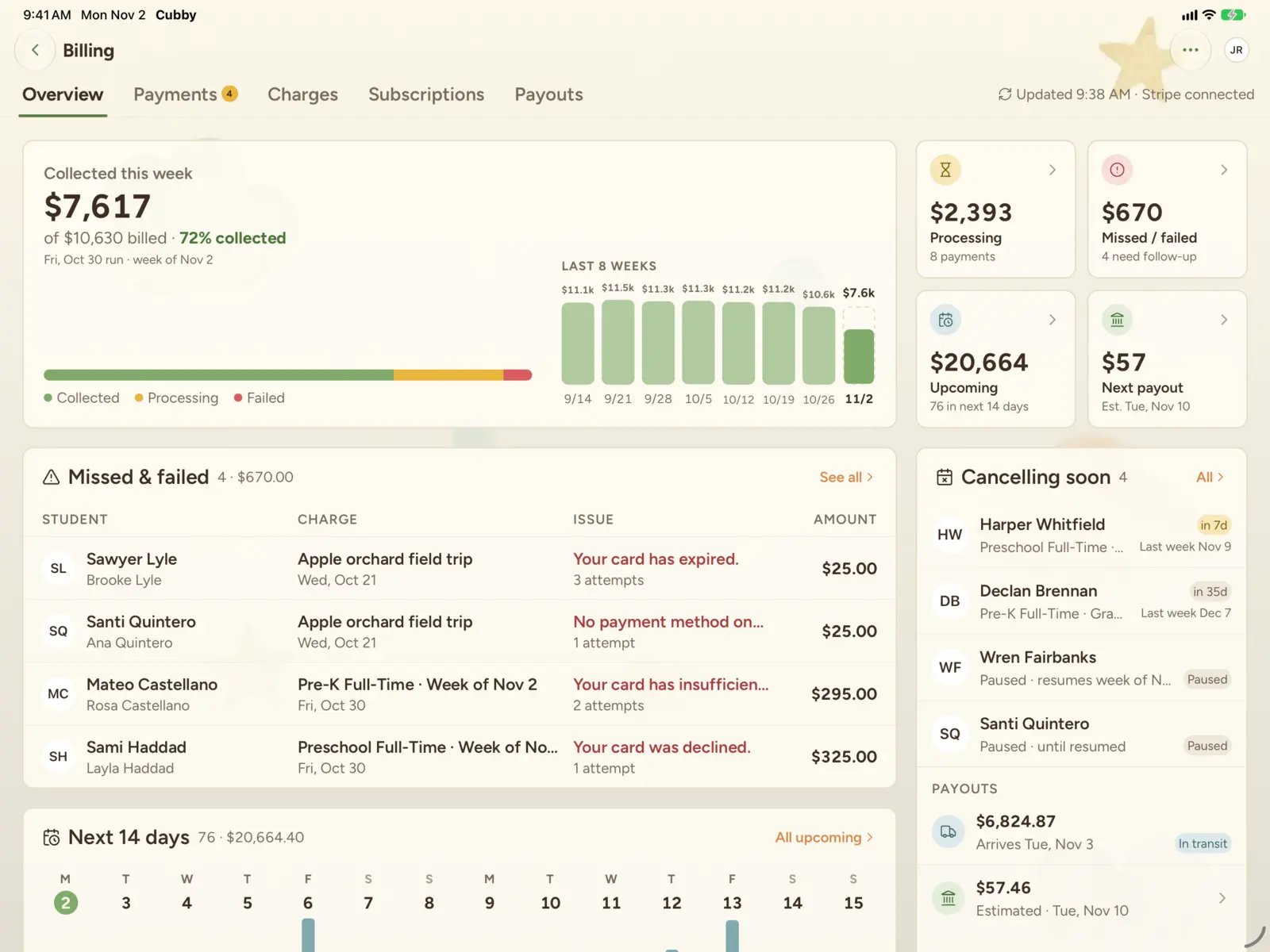
Cubby billing overview on iPad: tuition collected this week, missed and failed payments, and the charges coming up in the next 14 days

Weekly autopay.

Families are charged every Friday for the week ahead.

One-off charges.

Charge a family for registration, field trips or supplies.

Billing dashboard.

Collections, missed payments, upcoming charges and payouts, on your phone or iPad.

Your Stripe account.

Payments land in your center's own account.

Running your center

The setup and oversight tools owners and directors need.

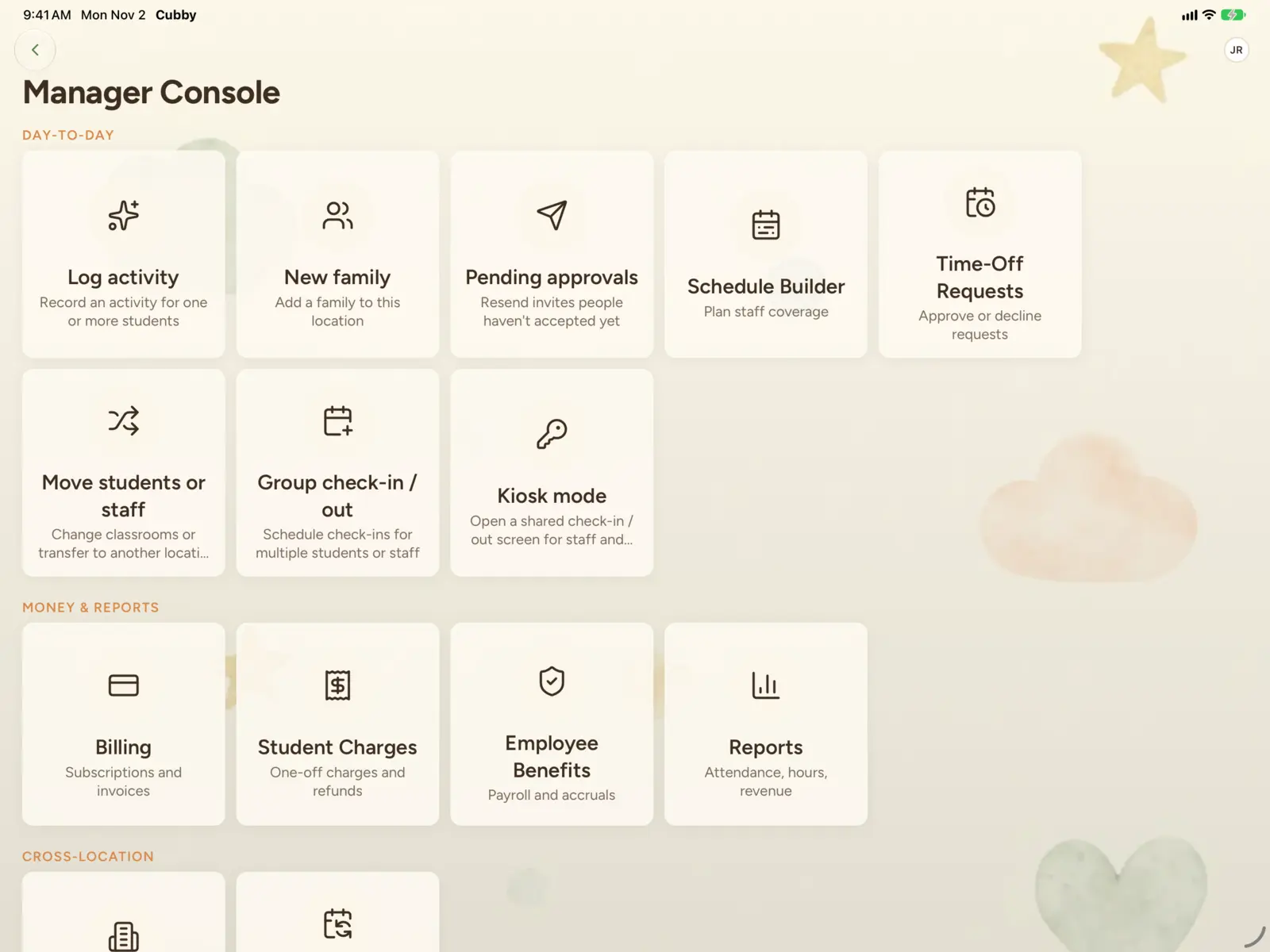
Cubby Manager Console on iPad: shortcuts for logging activities, adding families, approvals, the schedule builder, time off, check-in, billing, charges, staff benefits and reports

Multiple locations.

Run several centers in one account and move children and staff between them.

Classrooms.

Set up rooms and assign teachers.

Families and enrollment.

Add a family, invite parents and approve new accounts from one place.

Roles.

Owners, directors, assistant directors, teachers and families each see what their role allows.

iPhone, iPad and Android.

Built for phones in the classroom and an iPad in the office.

Pilot

Help me write

A writing helper for messages, posts and activity notes. Tap for a few ways to start, or make what you wrote friendlier, shorter or clearer. Children's and parents' names are swapped out before anything leaves the app, and nothing goes to a family until you tap send.

Now in pilot with directors and owners.

The message box in Cubby with a quick draft, "No school fri for teacher training, pls pick up by 6 thurs", and the Help me write button under it

Let's give your center the software it deserves.

Book a 30-minute walkthrough with one of our founders. We'll show you Cubby with your classrooms in mind and answer every pricing question.